Finding the SVG link
The Private Downloader needs one address from your browser's network log. Here's where it hides.
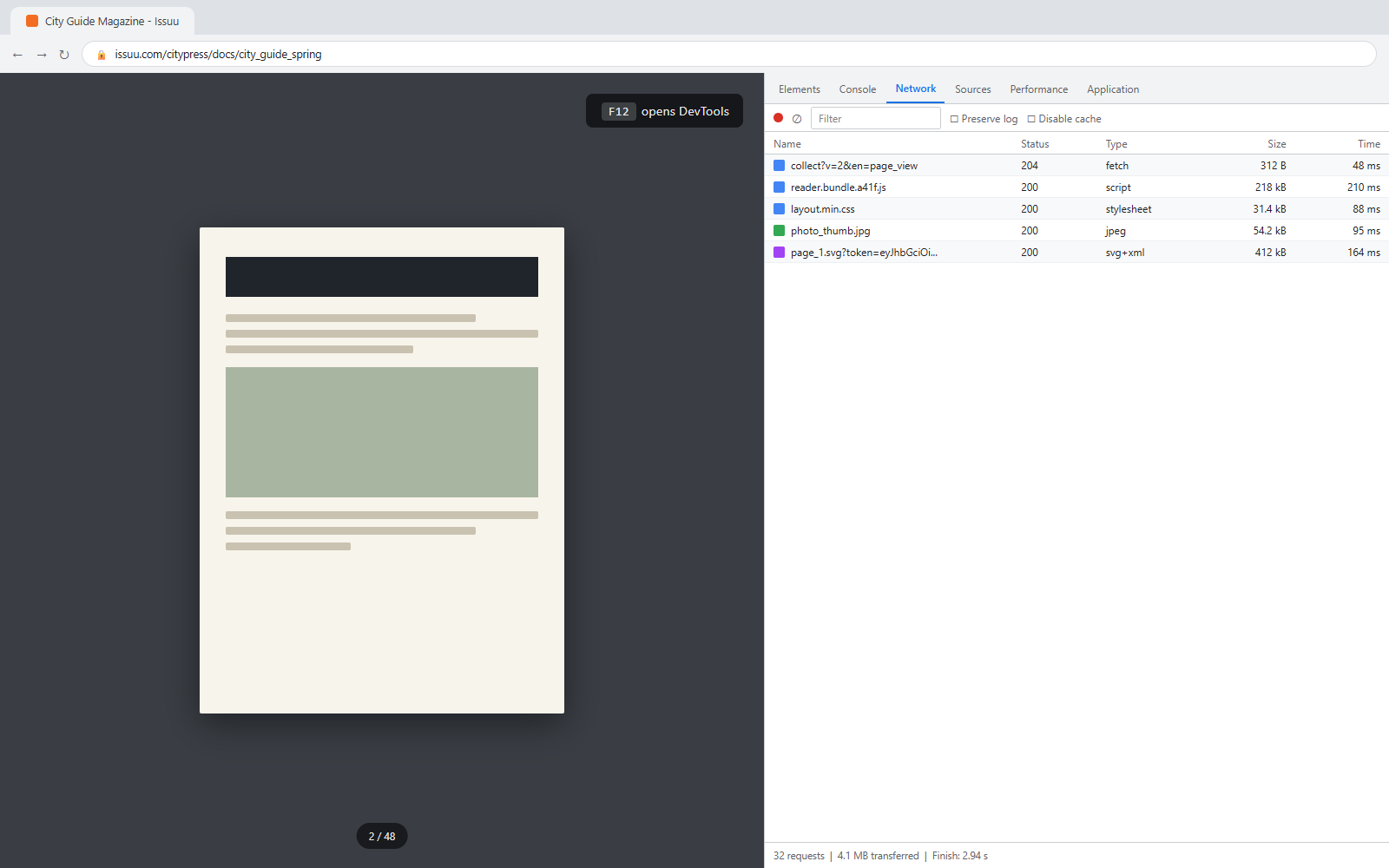
Open DevTools on the document
Open your Issuu document in Chrome, then press F12 (or right-click the page and choose Inspect).
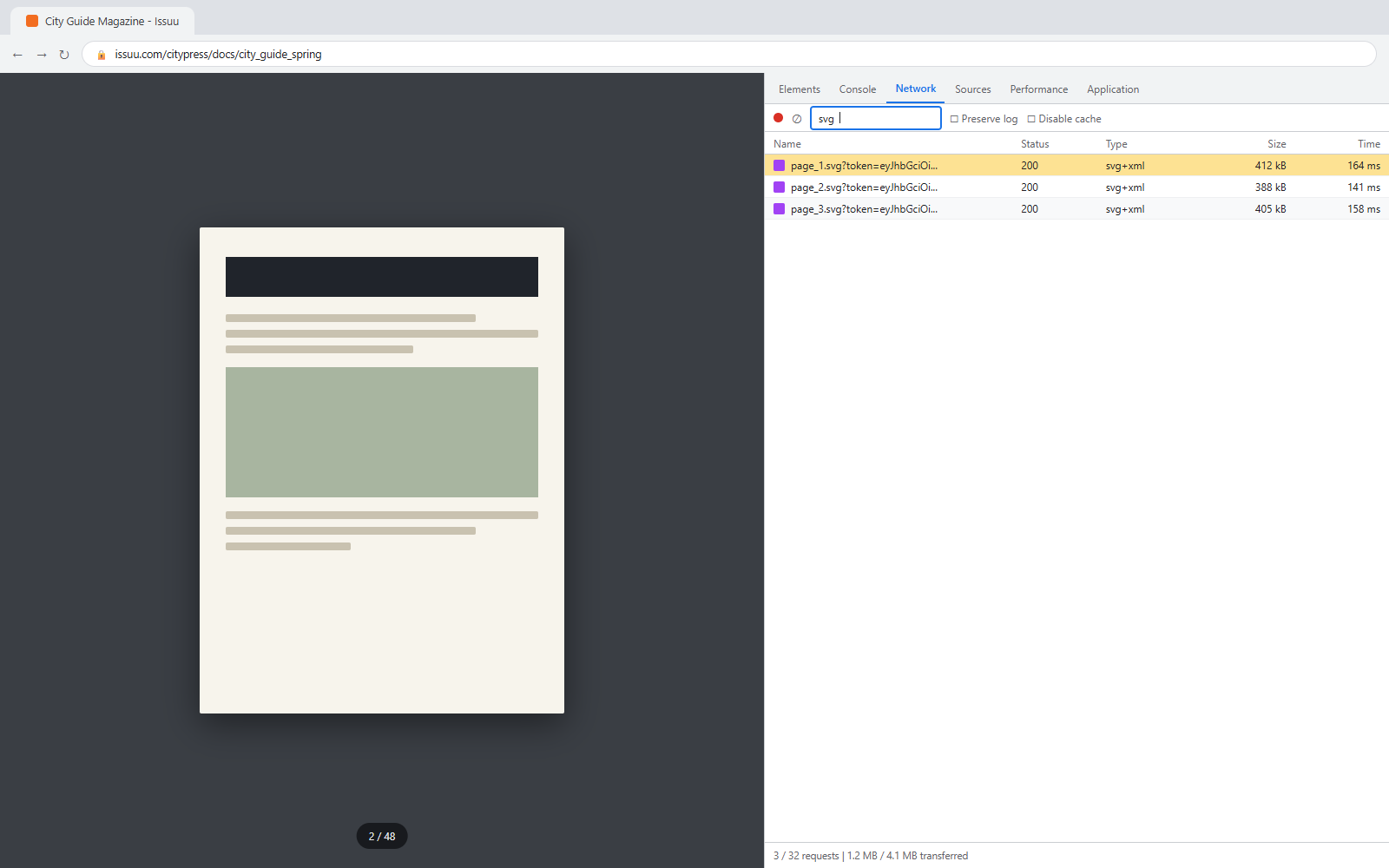
Filter the Network tab for svg
Switch to the Network tab, type svg into the filter box, then flip one page of the document. Requests named page_1.svg, page_2.svg will show up.
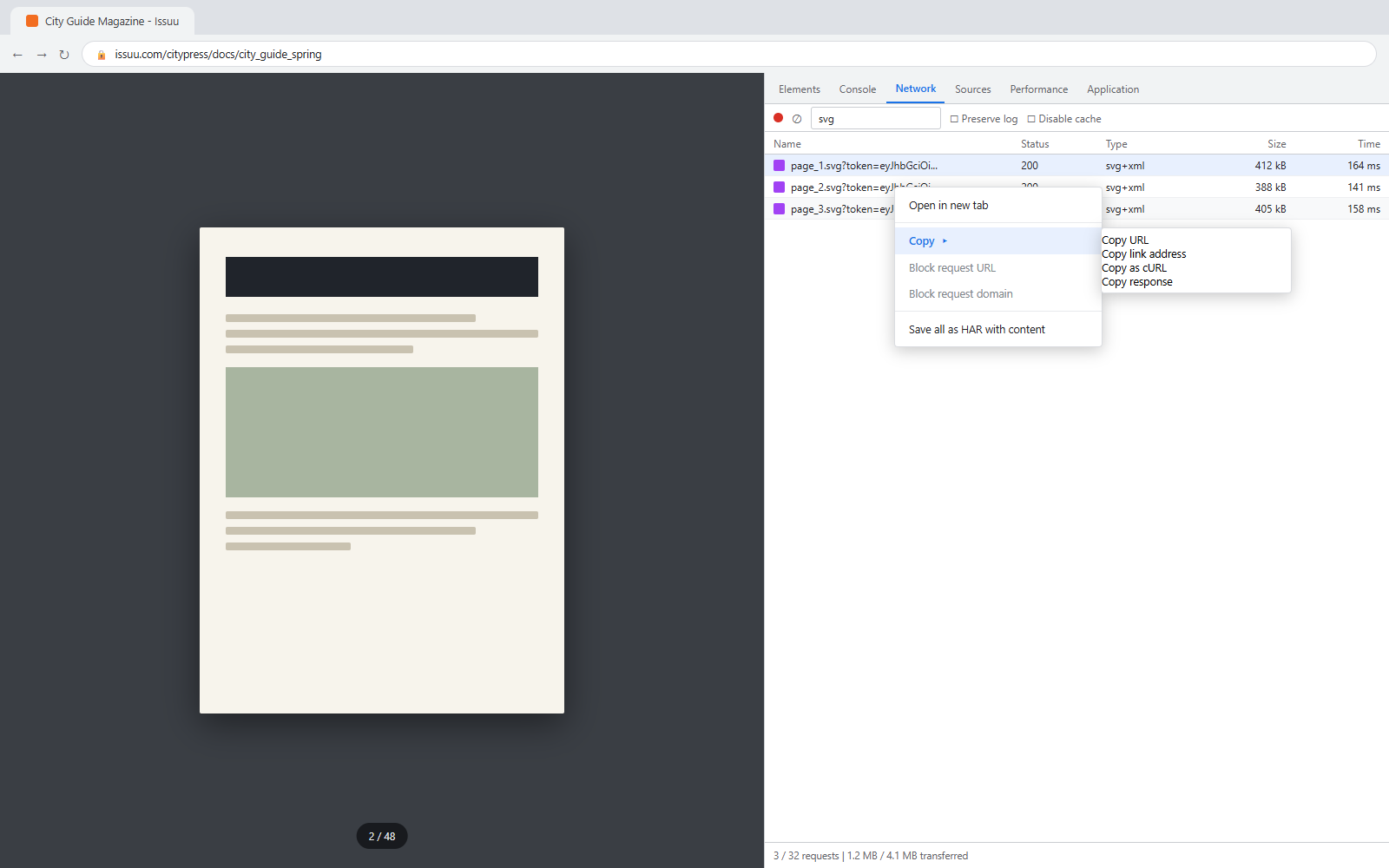
Copy the link address
Right-click any page_N.svg request, choose Copy, then Copy link address. Paste that into the downloader - done.
01 / 03
Quick recap
- Open DevTools on the document. Open your Issuu document in Chrome, then press F12 (or right-click the page and choose Inspect).
- Filter the Network tab for svg. Switch to the Network tab, type svg into the filter box, then flip one page of the document. Requests named page_1.svg, page_2.svg will show up.
- Copy the link address. Right-click any page_N.svg request, choose Copy, then Copy link address. Paste that into the downloader - done.